
Time to read:
In this post we are going to be going over a common error when configuring Nginx1 as a reverse proxy2 on a Linux based operating system.
- SECTION I – 502 Bad Gateway Error
- SECTION II – SELinux Fix
- SECTION III – Still Having Issues
- SECTION IV – Footnotes
SECTION I – 502 Bad Gateway Error
The error in question is ‘502 Bad Gateway’. This will be displayed when you browse to the Nginx IP (Internet Protocol) and port using a web browser as seen in Figure 1.
http(s)://<IP of Nginx Server>:<Nginx Listen Port>
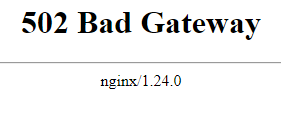
FIGURE 1 – 502 Bad Gateway
SECTION II – SELinux Fix
The cause of this error is that SELinux (Security Enhanced Linux)3 is stopping Nginx from doing any HTTP (Hyper-text Transfer Protocol) routing and proxying your clients request to the destination web server.
We can fix this with the command below which will allow Nginx to route HTTP traffic and not have the process blocked by SELinux. Use the command below to set the HTTP routing policy to true:
sudo setsebool httpd_can_network_connect 1 -P
Once you enter the command you will not have to restart your Nginx server you will simply just need to refresh your web browser to restart the connection.
SECTION III – Still Having Issues
If this has still not fixed your bad gateway error then make sure that your proxy server can reach the web server on the intended port as well as that the web server is actively serving up the page/service on the port that Nginx is destined to.
An easy way to test both of these variables is to do a curl from the proxy server and make sure that it is able to return the intended response. See Figure 2 for an example.

FIGURE 2 – CURL Test
SECTION IV – Footnotes
- Nginx – it is open source software for web serving, reverse proxying, caching, load balancing, media streaming, and more. What Is NGINX? – NGINX ↩︎
- Reverse Proxy – a reverse proxy is a server that sits between the clients and a web server. It will proxy requests from clients to the web server. They are typically used to increase security by obscuring the server as well as increase performance and reliability. ↩︎
- SELinux – it is a security architecture for the Linux operating system that allows administrators to have more control over who can access the system and its services. It works by defining access controls for applications, processes and files on the system. ↩︎

 Knowledge Addict
Leave a reply to How to Configure Nginx Reverse Proxy – Knowledge Addict Cancel reply